
Network
Open to test
Creators browse testers who’ve opted in — devices, platforms, and a short bio — then invite the right people instead of blasting a group chat.
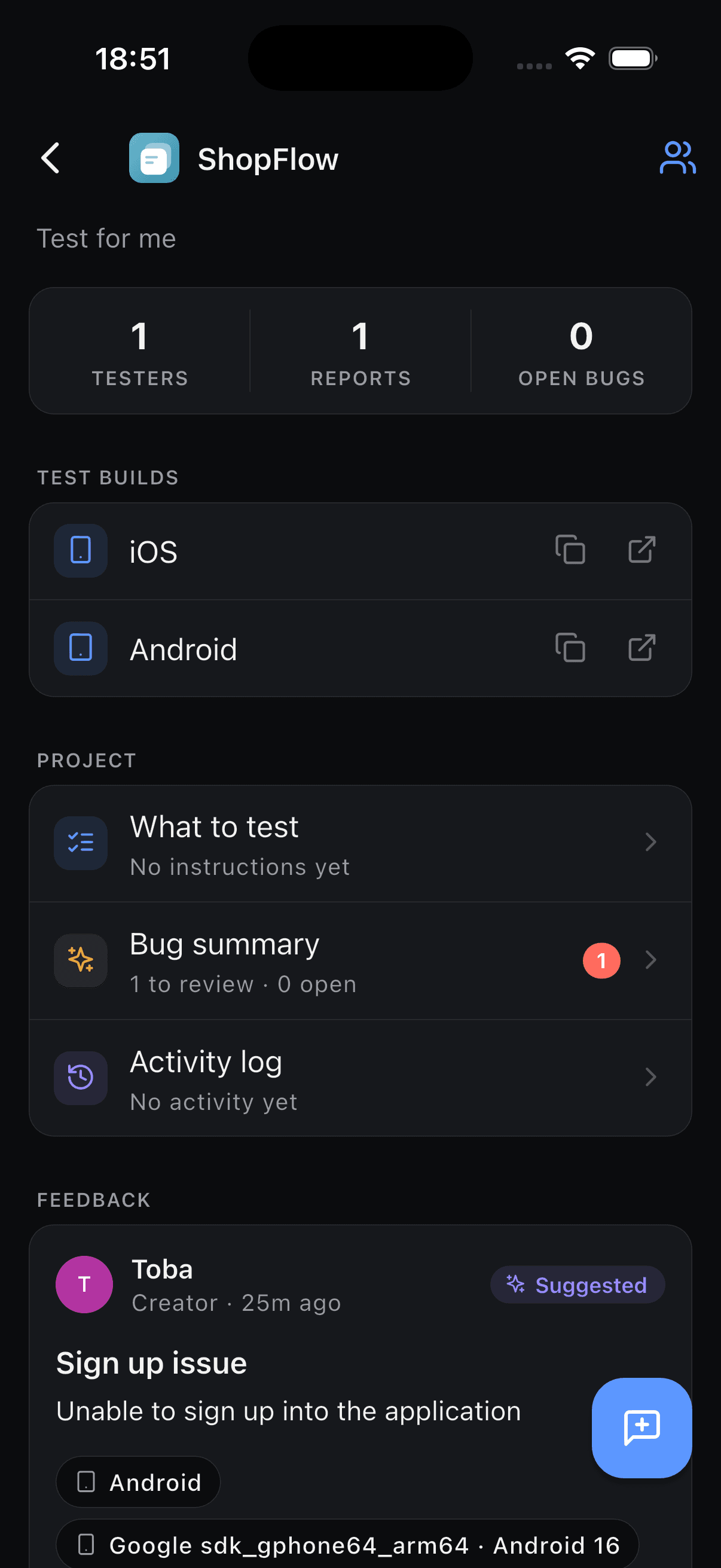
Find people open to testing your build, swap testing with other creators, and turn every report into a structured bug — title, steps, severity — ready to confirm.
The loop
BetaFeedback isn’t just a feedback form. It’s how you recruit coverage and turn what people say into work your team can ship against.
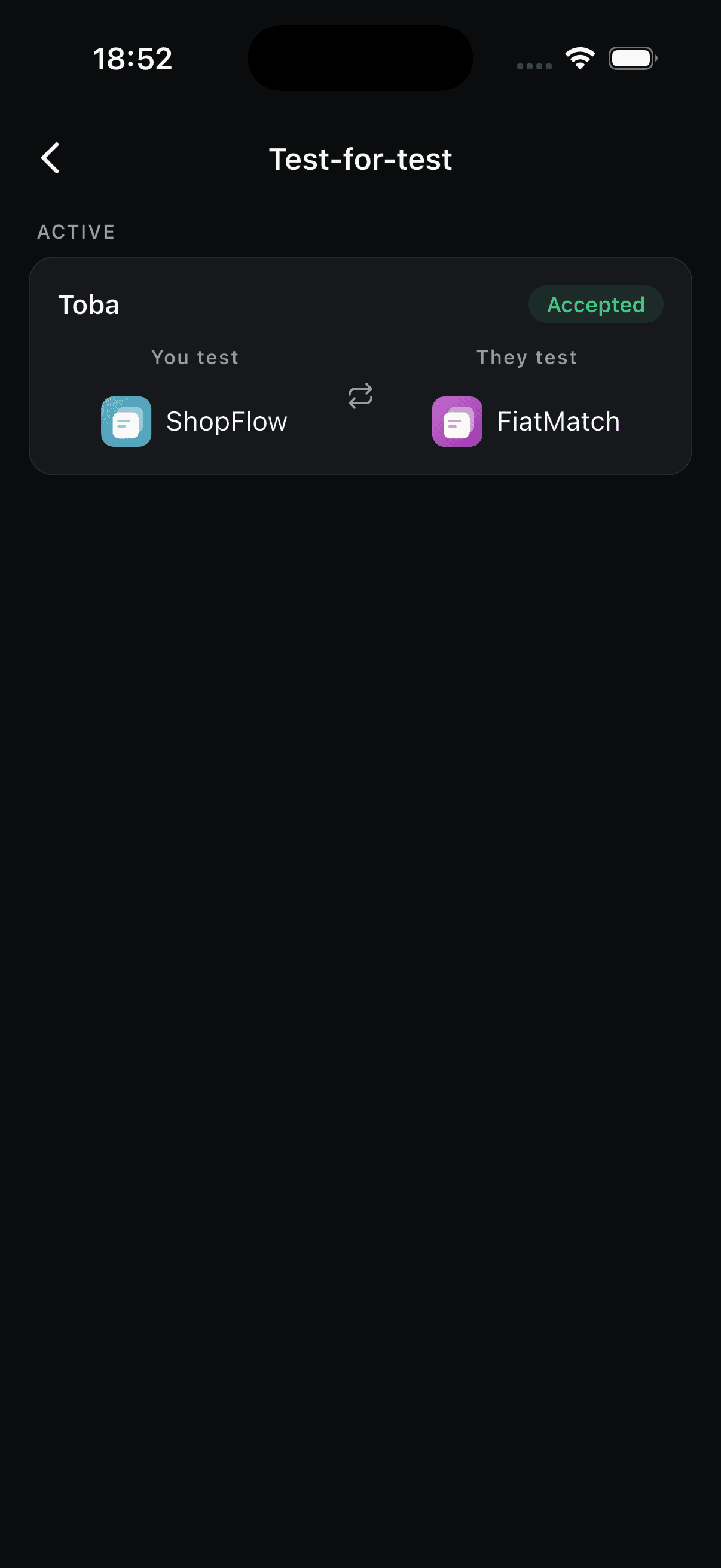
Browse people who’ve opted in as open to test, invite them with one tap, or propose a test-for-test swap with another creator who needs coverage too.
They install your build from TestFlight, Play, or a link you attach — then tap to report what’s broken, confusing, or missing.
Each report lands as a structured draft: title, repro steps, expected vs. actual, severity. You confirm or dismiss — noise never hits the list.
What’s inside
Recruiting, reporting, and triage in one place — so “it’s broken” turns into something you can actually fix.
Network
Creators browse testers who’ve opted in — devices, platforms, and a short bio — then invite the right people instead of blasting a group chat.
Pro
Propose a swap: you test their build, they test yours. Accept from the swaps inbox and both projects get a tester without hunting. Included on Pro.
Structure
Feedback becomes a developer-ready report — title, steps, expected vs. actual, severity — sitting as a suggestion until you confirm.
Builds
Attach TestFlight, Play Store, web, or desktop links per platform so every tester grabs the right build from one project.
Control
AI never writes to your bug list alone. Developers confirm or dismiss drafts, set severity, and mark fixes when they’re done.
Roles
One shareable link. Testers send feedback; developers triage. Everyone sees the slice of the project they need.
Targets
Attach a build link per platform. Testers always get the right install — feedback still lands in the same board.
FAQ
Turn on “Open to test” in your profile to appear when creators are recruiting. As a creator, open Find testers on a project to browse opted-in people and invite them. Test-for-test swaps with other creators are available on Pro.
A Pro feature: you propose that you’ll test their project if they test yours. They accept from the swaps inbox, and both of you get access as testers — useful when you don’t have a ready tester pool yet.
When a tester submits feedback, BetaFeedback drafts a structured report — title, steps to reproduce, expected vs. actual, and severity. It lands as a suggested bug for a developer to confirm or dismiss, so you stay in control.
Attach a download or test link for iOS, Android, Web, macOS, Windows, or Linux. Testers grab the right build; all feedback stays in one project.
Free includes one full project — invites, AI bug structuring, CSV export, and email notifications. Pro ($12/mo) adds unlimited projects and test-for-test swaps.
BetaFeedback is live on the App Store for iPhone and iPad. Android is coming soon — email hello@betafeedback.com if you want a heads-up when it ships.
Contact
Support, early access, partnerships, or press — one inbox, real humans.
Get the app
Create a project, find people open to testing or propose a swap, and let structured bugs come to you.